
The most useful GTA 6 tips come down to a few habits. Bank your cash, because anything in your pocket is lost when you die or get arrested. Save by hand often, since the autosave is unreliable. Fix the camera and motion blur before your first mission. Learn the new wanted system before you rob anything. Beyond that, the game rewards going slowly: Eurogamer's editor, who played for about a hundred hours, advises against skipping your drives.
Below are 30 tips from the launch-week guides at GameSpot, Eurogamer, Kotaku, Polygon, IGN, VGC and others. Where only one outlet reports something, we say so. Where outlets disagree, we say that too.
Quick reference: the 10 tips that matter most
| # | Tip | Why it matters | Reported by |
|---|---|---|---|
| 1 | Deposit cash at ATMs | Pocket cash is lost when you're Wasted or Busted | GameSpot, Eurogamer, GamesRadar+ |
| 2 | Save manually, often | You can't save mid-mission, and the autosave is inconsistent | VGC, Output Lag, Eurogamer |
| 3 | Lower motion blur | It starts at 3 and smears a 30 fps picture | Output Lag, Space4Games |
| 4 | Buy guns you want to keep | Only bought (owned) guns come back after a death | GamesRadar+, Output Lag |
| 5 | Keep a spare outfit in the trunk | Changing clothes is one of the fastest ways to lose the police | GameSpot, Kotaku, Eurogamer |
| 6 | Shoot limbs, not heads | A yellow hit marker means down but alive, which keeps your profile clean | IGN, GameSpot, Eurogamer |
| 7 | Get a suppressor and a red dot | Quieter fights mean slower police responses | GameSpot |
| 8 | Scan cars with Waink first | Advanced trackers keep pinging the police | GameSpot, Kotaku |
| 9 | Check your phone's reminders | Texts and Snapmatic posts start side missions | GameSpot, Eurogamer, Kotaku |
| 10 | Don't rampage without a save | An Irredeemable profile is permanent for that character | PC Gamer, Output Lag |
Settings to change first
The settings menu is big. Eurogamer calls the range of options "luxurious" and points out that some of them quietly change the difficulty. Spend five minutes here before you start.
1. Turn down motion blur
Space4Games and Output Lag both found Motion Blur Strength set to 3 by default (under Display). Output Lag's beginner guide says every console runs the game at 30 fps with no performance mode and suggests dropping blur to 0. Space4Games suggests going as low as you can stand. Our view: try 1 first. A little blur can make 30 fps camera turns look smoother.
2. Tune sensitivity one step at a time
Look and aim sensitivity both start at 7. The guides disagree on what to do with that. Output Lag thinks 7 feels slow and says most players end up between 8 and 10. Space4Games suggests putting aim slightly below look sensitivity so that small corrections are easier. Both are reasonable, so change one slider by one step, play a mission, and then adjust again.
3. Pick a targeting mode that suits you
Under Gameplay, Targeting offers Lock-On, Partial and Free Aim. Output Lag's settings guide lists Partial as the default, and Space4Games recommends it for your first hours. In Partial, your aim drifts toward a target without locking on. If gunfights feel unfair, Lock-On is the forgiving choice. Free Aim gives you no help at all.
4. Make subtitles readable
Subtitles start at Mission Only, according to Space4Games, so street conversations aren't captioned. Switch them to show everywhere, raise the text size if you sit far from the TV, and turn on a background. Bright skies make white text hard to read.
5. Know where the "difficulty" lives
GTA 6 has no overall difficulty setting. VGC points to two toggles in the Gameplay tab instead. Accessible Combat makes enemies deal less damage and go down faster. Reduced Vehicle Damage makes your car much harder to wreck. You can switch either one on or off at any time, so nothing is locked in.
6. Smaller quality-of-life switches
- Output Lag suggests setting Movement Speed to Run, so a full stick push runs without clicking L3. Only Output Lag mentions this.
- Eurogamer notes that you can bring back the old tap-to-sprint layout through the control scheme setting.
- Polygon points out an "auto equip helmet" toggle in the Gameplay tab for motorbikes.
- If camera movement makes you queasy, Space4Games suggests turning Camera Shake off and lowering Camera Bob to around 3 to 5.

Combat tips
7. Read the hit markers
IGN's beginner guide explains the colours. White means a hit on someone who is still fighting, yellow means incapacitated but alive, and red means dead. A yellow marker means that person is out of the fight. Eurogamer points out that you rarely need to kill anyone, and even shots to the feet can drop an enemy.
8. Aim low to protect your Criminal Profile
Jason and Lucia each have a Criminal Profile with five levels, from Professional to Irredeemable. PC Gamer says it depends almost entirely on how often you kill. You can move between the first four levels, but Irredeemable is permanent once you reach it. Shooting for limbs is the cheapest insurance.
9. Use Focus constantly
Click both sticks to turn on Focus. In a gunfight it slows time and drains the bar. Outside combat it lasts as long as you like and highlights enemies in red, usable items in yellow and cash in green. GameSpot also uses it to find safe codes and to check car trunks for valuables. Our health, stamina and Focus guide explains how to grow the bar.
10. Get a suppressor and a sight early
GameSpot calls sights and silencers the two attachments that matter most. Police respond to reported gunshots, and that includes gang hideouts, so quieter shots give you more time. With a sight fitted, clicking the right stick switches to a first-person aim. Iron sights can't do that.
11. Buy the guns you want to keep
GamesRadar+ explains the difference between owned and unowned weapons. Guns bought at Ammu-Nation (or given to you in a mission) are owned and can be recovered. Guns taken off enemies are lost when you're Wasted or Busted. GamesRadar+ adds that a bought gun is given to both Jason and Lucia. Our early weapons guide covers the free ones nearby.
12. Tag targets before you go in
According to Kotaku, you can tag enemies while aiming or looking through binoculars so you can keep track of them. Kotaku also says Focus shows which doors are wired to the alarm, because those doors glow red.
Driving tips
13. Duck, shoot back, U-turn
Polygon's escape trio: press Circle (PS5) or B (Xbox) to duck behind the dashboard when police shoot at you, hold L1/LB and press R1/RB to fire back, and pull the handbrake while steering for a sudden U-turn.
14. Scan before you steal
Hold up on the D-pad to open the Waink app and point it at a car. GameSpot says it shows the car's security system, sell price and registration cost. Kotaku warns that a red tracker icon means an advanced tracker, which reports your position to the police if you drive slowly. Our car theft guide goes deeper.
15. Repair cheaply
Kotaku says gas pumps can repair your car for a small fee, which is often cheaper than the Scooter Bros app. In Chapter 1, both Eurogamer and Output Lag say that calling Joey from your contacts gets Jason's own car repaired and delivered.
16. Weigh up Scooter Bros Premium
Premium gives you three free vehicle summons or repairs a day. Eurogamer puts the one-off price at $12,000 and Kotaku at $12,500, so expect around $12,000 to $12,500. Both say it pays for itself once money stops being tight. It's not worth buying in the opening hours.
17. Don't skip every drive
You can pay RydeMe an extra $100 to skip a trip, and our getting around guide covers the cheaper options. Even so, Eurogamer advises against skipping much. Random events and whole mission chains start on the road.
Wanted level tips
18. The police need a description
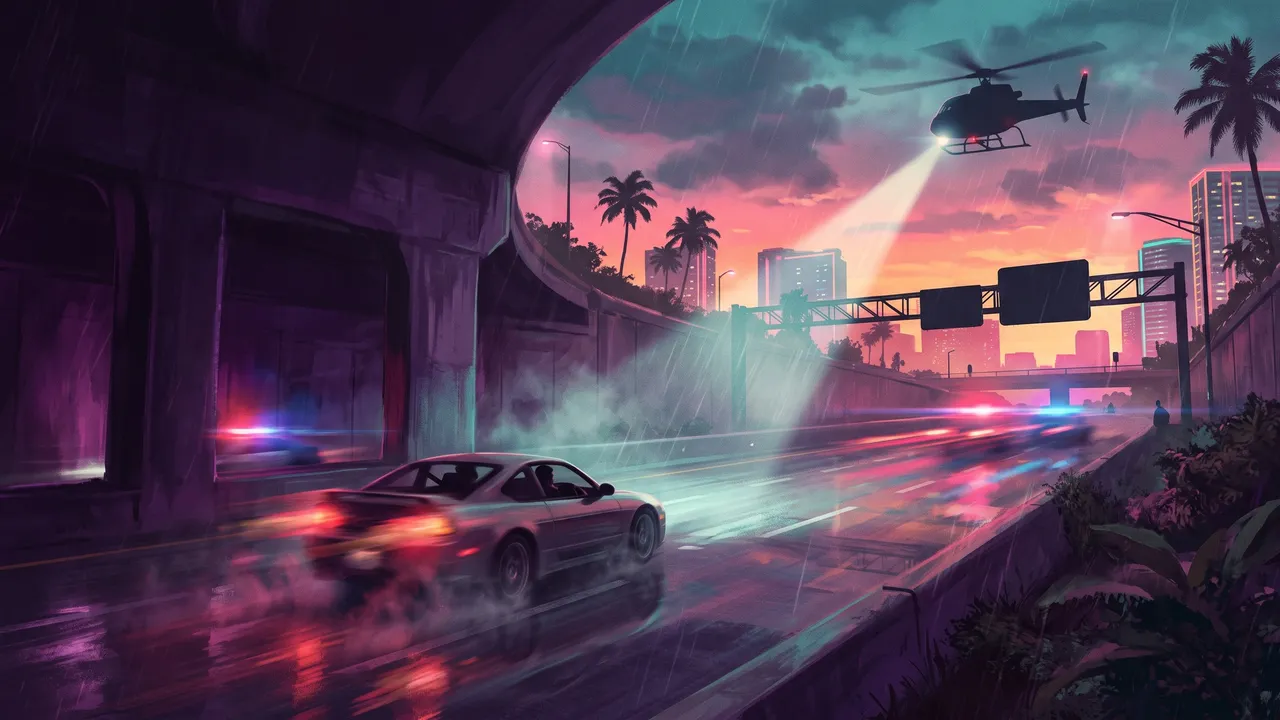
GameSpot explains the new system. The police only come once someone reports a crime, and they search using clues: your face, your outfit, a visible weapon, your vehicle, CCTV footage and your partner. Deal with each clue somewhere the police can't see you, and they lose you. Our step-by-step wanted level guide walks through each one.
19. Keep outfits in the trunk
Kotaku, Eurogamer and GameSpot all recommend saving a spare outfit to your personal car's trunk. Output Lag says the trunk holds up to five, a detail only Output Lag reports. Kotaku adds that any clothing store with a changing room lets you manage trunk outfits, so you don't need to go home.
20. Talk your way out of one star
Kotaku reports that you can sometimes clear a one-star wanted level by talking to the officer. Holster your gun, hold the left trigger to focus on them and choose to defuse. Some people still kick off anyway.
21. Split up
Being seen as a pair is one of the clues. Once you can switch characters, send your partner off in another direction (see our Jason and Lucia explainer).
Money tips
22. Bank everything
GamesRadar+ says each character can carry up to $20,000 in pocket cash and loses all of it when Wasted or Busted. Most shops take cash only for purchases up to $1,000. Polygon notes that the BuckMe app has an ATM Finder. Before your bank account opens, our first hours guide shows where to hide cash at Jason's house.
23. Think before you fill Family Savings
GamesRadar+ says money moved into Family Savings can never be taken out again. Eurogamer suggests chipping away at the savings goal while keeping some "fun money" in checking: a few hundred dollars early on, a few thousand mid-game and tens of thousands later.
24. Check the security level before a robbery
GameSpot says the map shows each store's likely take and security level. Low-security shops are fine solo, while medium and high are much easier as a pair. GameSpot suggests holding back on bigger robberies until you can play both characters. It also warns that bank cash carries dye packs until a jammer unlocks later in the story (a mild spoiler). For more on earning, see how to make money in GTA 6.
25. Fence your loot quickly
Stolen goods are worth nothing until a fence buys them. GameSpot says you lose the stash bags you're carrying if you die, so it recommends visiting a fence after every big job.
Saving tips
26. Save by hand, and spread your saves out
VGC says the autosave mostly runs after major missions and is inconsistent. You can't save mid-mission (VGC says Rockstar did this so you can't save before a choice and then try both options) or while being chased. Eurogamer's top tip is to keep lots of save files spread evenly across the chapters. The story reacts to your choices, and the autosave may not survive a power cut.
The guides disagree on slot counts. VGC says there are 15 slots and one of them is the autosave. Output Lag and others describe 15 manual slots plus an autosave. Either way, you have plenty.
27. Mind the Prologue and the chapter breaks
Output Lag says Save Game is greyed out for the whole Prologue, so play it in one sitting. It also says there's no menu for replaying finished missions. GameSpot adds that each chapter is built around a different safehouse, and you can't go back to an old one without a hard save.
28. Lean on checkpoints
Eurogamer finds mission checkpoints generous. If a stealthy or non-lethal attempt goes wrong, reload the checkpoint instead of an old save.
Phone and apps
29. Check Reminders and Snapmatic
Press up on the D-pad and then Square/X to open Reminders. GameSpot says it collects articles, Snapmatic posts, texts to answer and people to call. Eurogamer and Kotaku both found side missions this way. Our list of the apps that matter early:
- Waink: scan cars and things worth scanning. Kotaku says a strong controller pulse often means something scannable is nearby.
- BuckMe: banking, payments and the ATM Finder.
- Scooter Bros: summon, repair and recover your owned vehicles.
- RydeMe: paid rides, with a $100 skip.
Mistakes to avoid
30. The ones that cost people hours
- Carrying a fortune. Getting busted with $15,000 in your pocket means losing $15,000.
- Getting attached to a dropped gun. Unowned weapons vanish when you die. Store them in your car's trunk or buy your own.
- Rampaging on your only save. Psycho stops you surrendering, and Irredeemable is permanent, according to PC Gamer and Output Lag.
- Stealing cars with advanced trackers early. Kotaku says to leave them until you can pay to remove trackers.
- Speedrunning. Eurogamer suggests making Chapter 3 onwards your time for aimless exploring, and Kotaku's last tip is simply to go slow.
- Looking things up too soon. Kotaku strongly recommends avoiding videos that spoil a particular late-game moment.
Once you've finished the story, there's one more system waiting. Our GTA 6 cheats guide explains why cheats only unlock after the credits.
Sources and how we checked
We researched this on 22 November 2026, four days after launch, using the guides linked above. All of them were published or updated after release. Early guides disagree and get patched, so some details (slot counts, prices, defaults) may change, and we've flagged the disagreements we found. We haven't yet verified any of these tips in-game ourselves. If something is wrong on your copy, tell us and we'll fix it.
Frequently asked questions
What settings should I change first in GTA 6?
Lower Motion Blur Strength (it starts at 3), set subtitles to show outside missions if you want them, and adjust look and aim sensitivity from the default of 7 one step at a time. Output Lag and Space4Games both recommend these changes. Targeting has Lock-On, Partial and Free Aim modes if aiming feels wrong.
Does GTA 6 have a difficulty setting?
There is no single difficulty option, according to VGC. Instead, the Gameplay tab has Accessible Combat, which makes enemies hit softer and die faster, and Reduced Vehicle Damage, which makes cars harder to wreck. You can switch both on or off whenever you like.
How do you save in GTA 6?
Open the pause menu, go to the Game tab and choose Save Game. You can't save during a mission or while being chased, and VGC reports that the autosave runs mainly after missions and is inconsistent. Make manual saves often, and keep one from each chapter.
Do you lose money when you die in GTA 6?
Yes. GamesRadar+, GameSpot and Eurogamer all report that the cash you carry is lost when you are Wasted or Busted, and GameSpot adds that stash bags you are holding go too. Money in your BuckMe account is safe, so deposit cash at an ATM as soon as you can.
Is there fast travel in GTA 6?
Not from the map. You can call a RydeMe car and pay an extra $100 to skip the journey, take buses and trains, or switch to the other character. GameSpot, Eurogamer and Kotaku all describe the paid RydeMe skip.
Can you play GTA 6 without killing people?
Mostly, yes. GameSpot says a non-lethal run is possible but very hard. Shots to limbs incapacitate (a yellow hit marker) rather than kill (a red one), and playing that way keeps your Criminal Profile at Professional.
Can you replay missions in GTA 6?
Output Lag reports there is no menu for replaying finished missions, and GameSpot warns there's no going back to an earlier chapter's safehouse without a hard save. Keep a manual save from before any mission you might want to play again.
Sources
- GTA 6 Tips: Everything I Wish I Knew Before I Started Playing · GameSpot
- Playing GTA 6 this weekend? Here's 16 spoiler-free tips for your first playthrough · Eurogamer
- 32 Spoiler-Free Tips As You Hop Into Grand Theft Auto 6 · Kotaku
- 12 GTA 6 beginner's tips to help you thrive in Leonida · Polygon
- Beginner's Guide: 67 Tips and Tricks · IGN
- GTA 6 Beginner Tips: 20 Things to Know First · Output Lag
- GTA 6 Best Settings and Controls for PS5 and Xbox · Output Lag
- GTA 6: Best Settings to Change Before You Start · Space4Games
- GTA 6 PSA: Here's how GTA 6 autosave works · VGC
- GTA 6 Easy Mode: Does GTA 6 have difficulty options? · VGC
- How to manage money in GTA 6 and use BuckMe bank · GamesRadar+
- How weapon ownership works in GTA 6 · GamesRadar+
- GTA 6 honor system: How the 'criminal profile' works · PC Gamer